AWESOME! 
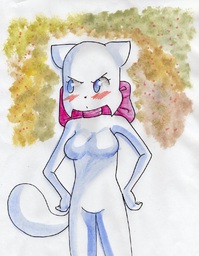
Lucy, Mikanime_(Artist)
 |
Mikanime_(Artist), Mike
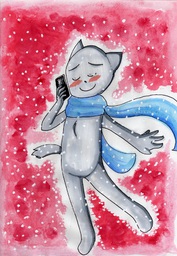 |
Comment ID #48776Comment ID #48779for some reason i think Mike's tail was docked. any way it looks cool |
Jessica, Rachel, eatedurtaco_(Artist)
 |
Comment ID #48402Please make sure to resize the picture before posting next time! I resized it for you. Comment ID #48403Oh, thank you very much! I wasn't sure how to resize it correctly... I do apologise n__n" Comment ID #48426Ok I lol'd. Comment ID #48429 Oh. My. God.
Comment ID #48507 I def lol'd
Comment ID #48574I'd like to see it with the troll face on both of them. ^_^ Comment ID #48770 This is amazing |

Daisy, Lucy, Sandy, Shannon_(Artist), human
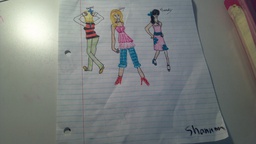 |
Comment ID #48204I messed up on sandy's right leg and her head... Oh well Comment ID #48229 Sandy reminds me of that Puerto Rican girl with the messed up leg that Quagmire dated in an episode of Family Guy. Comment ID #48230 Oh, and almost everyone in this drawing is anatomically fucked up. So don't worry it's not just Sandy Comment ID #48233 ^
Comment ID #48236 Hey this IS my best work and dont you think the person drawing did there best to mak it look awesome twelve and I still have a lot of work to do in art so why would you expect better?not everyone is perfect Comment ID #48237 ThatGuy: Don't be a douchebag. Your anatomy is just as shitty.
Comment ID #48293 Not sure if commenting on this again after awhile helps or not but I figure BBRhymes is right and I wasn't being fair at all. I would say I was just in a really critic mood but it's easier to go with Douchebag.
Comment ID #48760 It's funny that you're sorry for what you said ThatGuy. I mean seriously every char is messed up here, and if you yourself said "sandy is messed up" how can it be that harsh of a comment if someone just points out that they all are, I mean look at Lucys arm :v and what you guys say about "good for you age" drawing doesnt seem to have anything to do with age as we can see that there are artists that are around 12 and draw a lot better than any of the booru ever could even if they didn't start drawing ages ago.
|


Abbey, BCB_Art_Meme, Lucy, Mike, MikexLucy, Missy2000_(Artist), Paulo, PauloxLucy
 |
Comment ID #48694 Yea hello
Comment ID #48697not bad Comment ID #48700Well this was lazy Comment ID #48706 /me bites into your throat and tears out a chunk of your flesh.
Comment ID #48726 Well this is c**p.... Little effort and zero originality. Even the pokemon have been done like that before...
Comment ID #48738ahaha Comment ID #48752 three hours? you must like taking your time. |
 still really good
BCB_Art_Meme, David, Lucas_(Artist), Lucy, LucyxSandy, Mike, MikexLucy, Paulo, Sandy
 |
Comment ID #48703 I have no idea why, but if you ask me which one i most like the answer is 8 Comment ID #48743Not bad, but, you're REALLY reading this comic? |

Lucy, eatbamboo_(Artist), human
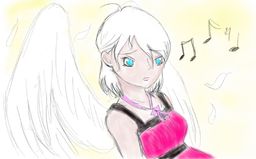 |
Comment ID #48736 She's an angel in his eyes.
Comment ID #48739 Pfff an angel.
Comment ID #48741If Lucy's an angel she must be fallen. |

Lucy, Paulo, evil-noob-kitty_(Artist), parody
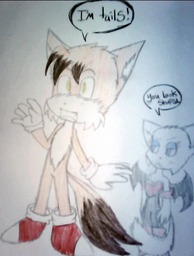 |
Comment ID #37769 If you don't know what lucy is saying it's "You look stupid."
Comment ID #37770 i like how paulo looks super scared for no reason Comment ID #37794If you really have to use a camera, do it with no flash, in a sunny day or well lighted room, or surround that thing with study lamps. Comment ID #48733Tess has bigger boobs than Lucy, so she should Rouge instead. Other than that...AWESOMENESS. |

Abbey, AbbeyxDaisy, DafninhaM_(Artist), Daisy, human
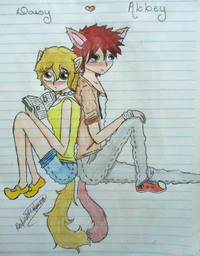 |
Comment ID #48644Please resize before uploading pictures in future. Comment ID #48661Also, correct the colours! I've made it a little less dark and horrible. Comment ID #48712Abbey looks so effeminate. Comment ID #48729damn abbey, what happened to your legs |
Jodi_(Artist), Lucy, Mike
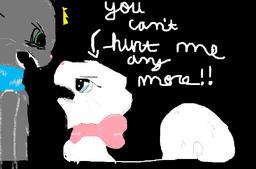 |
Comment ID #48325dem teeth Comment ID #48342Technically, Lucy's been hurting Mike for years. Mike's the one who should be saying that. Comment ID #48370agreed with mousey Comment ID #48398 Not to the MikexLucy shippers it's not MouseCat Comment ID #48406interesting... uhh... impressionist style. Comment ID #48544 Lol, Migrant. I'm not sure 'impressionist' would be the right word. Also, I kiiind of agree with MouseCat... Mike thought she only wanted someone to cling to, he didn't relize she liked him, and he's isolated to Sandy, so his answer was ovbiously 'no'. Sorry, that's just my opinion. Comment ID #48603wow ninja you...you...oh i dont wannna even start any thing...I WAS MEANING WHEN HE F ING SENT LUCY INTO DERESSION OMFG wow peeps r dumb Comment ID #48717o-o I know he did, what I meant was before... It's just my opinion. Mike's being a dumb jerk to Lucy and Lucy always teased Mike, thus Mike being to hard headed to see she liked him, he reacted as a jerk when she told him she loved him. |


 In the next volume…
 Candybooru image #11215
 Paulo’s harem
 Comics, back from the dead!
 Rough night
 Nothing at all
Comment ID #48780
I think she's mad at the artist for making her boobs bigger.
Blue_Sly .